
The Philips Hue Play takes the top spot among the best smart RGB light bars thanks to its polished ecosystem, rock-solid app reliability and the strongest third-party integrations in the category — if you already run a smart home, it is the least frustrating path to great ambient lighting. The Govee RGBIC Gaming Light Bars H6047 come close for most buyers at a friendlier price, trading some refinement for richer segmented color, while the SwitchBot RGBICWW bars with Matter stand out if future-proof smart home standards matter to you. The main tradeoff in this category is between color richness (RGBIC segmentation), ecosystem depth (Hue, Matter, Alexa) and price: the cheapest USB bars sync to music fine but leave you with clunky apps and no real automation. Keep reading for the full breakdown of all 14 picks and who each one suits best.

Get furniture and decor delivered free — and shop member deals
- Fast, free delivery on millions of items
- Access to Prime Big Deal Days deals on October 6–7
- Prime Video, Amazon Music and more included
Complete the kit


Key Takeaways
- RGBIC (individually addressable segments) is the single biggest differentiator — bars like the Govee H6047 and Smart RGB-IC models display multiple colors simultaneously, while single-zone RGB bars like the Eastfine 2-Pack can only show one color at a time.
- Philips Hue wins on ecosystem and long-term reliability, but a single Hue Play bar costs more than entire two-bar budget kits and produces fewer simultaneous colors than RGBIC rivals.
- Matter support (SwitchBot) is emerging as the smart-home-safe choice, avoiding the vendor lock-in that Govee‘s and DAYBETTER‘s cloud-dependent apps create.
- USB-powered budget bars underdeliver for TV use — they depend on your TV’s USB port for power and often lack Wi-Fi, remote control or scene automation.
- Music sync quality varies dramatically: Govee‘s and Philips’ microphone-and-app sync feels responsive, while generic 213-mode bars cycle through preset patterns that rarely match the beat.
| Govee RGBIC Gaming Light Bars H6047 with Smart Controller |  | Best Overall | Model: H6047 | Technology: RGBIC | Colors: 16.8 million | VIEW LATEST PRICE | See Our Full Breakdown |
| DAYBETTER Smart LED Light Bar, RGBICWW WiFi TV Light Bars for Room & Gaming (14 Inches, Black) |  | Best for Whole-Room Voice Control | Technology: RGBICWW | Brightness: 220 lumens | Connectivity: Wi-Fi | VIEW LATEST PRICE | See Our Full Breakdown |
| 16.5-Inch RGB Smart Light Bar with Music Sync | 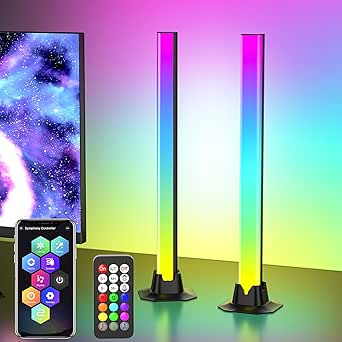 | Best Budget Starter Pick | Length: 16.5 inches | Colors: 16 million | Dynamic Modes: 213 | VIEW LATEST PRICE | See Our Full Breakdown |
| Smart RGB-IC Gaming Light Bars with Iron Plate Base, 2-Pack |  | Best Desk Setup Value | Quantity: 2-Pack | Base: Iron plate | Technology: RGB-ICW | VIEW LATEST PRICE | See Our Full Breakdown |
| DAYBETTER Smart LED Light Bar, RGBICW TV Light Bars for Room and Gaming, Black |  | Best for Simple, App-Controlled Ambiance | Technology: RGBICW (RGBW+IC) | Brightness: 110 lumens | Connectivity: Bluetooth | VIEW LATEST PRICE | See Our Full Breakdown |
| SwitchBot RGBICWW Smart LED Light Bars with Matter, 800 lm |  | Best for Smart Home Integration | Brightness: Up to 800 lm per pair | Colors: 16 million | White range: 2200–6500K | VIEW LATEST PRICE | See Our Full Breakdown |
| Govee Glide Wall Lights, Smart RGBIC Gaming Light Bar (2-Panel Set) |  | Best for Wall Wash Effects | Technology: RGBIC — 24 colors simultaneously, 16 million total | Panels: 2 panels, 3 light sections each | Segment length: 14.8 inches | VIEW LATEST PRICE | See Our Full Breakdown |
| Eastfine RGB LED Light Bar (2 Pack), App Control USB Powered |  | Best Budget Pick | Power source: USB, 5V DC, 5 watts | Colors: 16 million | Music sync: Yes, 3 rhythm modes | VIEW LATEST PRICE | See Our Full Breakdown |
| Philips Hue Play White and Color Smart Light Bar, Single Base Kit |  | Best Premium Ecosystem Pick | Light source: LED | Colors: Warm-to-cool white and millions of colors | Wattage: 6.6 watts | VIEW LATEST PRICE | See Our Full Breakdown |
| Govee Gaming Light Bars Pro, 16-Inch Smart RGBIC Wi-Fi LED Game Lights | 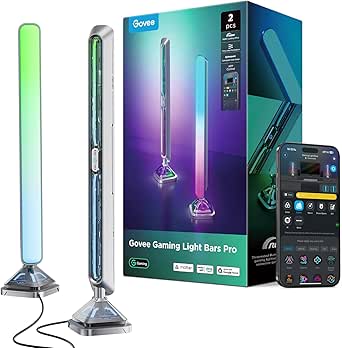 | Best for PC Gaming | Size: 16 inches | Colors: 16 million (RGBIC) | Connectivity: Wi-Fi | VIEW LATEST PRICE | See Our Full Breakdown |
| Govee Smart RGBWIC Light Bars, 15-Inch WiFi TV Backlight for 45-70-Inch TVs |  | Best for Large-Screen TV Ambience | Color Technology: RGBWIC | Compatible TV Sizes: 45-70 inches | Bar Length: 15 inches | VIEW LATEST PRICE | See Our Full Breakdown |
| Enbrighten Vibe Smart Color-Changing Gaming Light Bars, 2-Pack |  | Best Budget Starter Pair | Quantity: 2 light bars | Power: USB-A, 5V/2A | Connectivity: Wi-Fi (2.4 GHz) and Bluetooth | VIEW LATEST PRICE | See Our Full Breakdown |
| Smart RGB LED Light Bar with Music Sync, 213 Modes, USB Powered |  | Best for Mode Variety and Offline Control | Preset Modes: 213 | Control Methods: App, remote control, control box | Light Source: 48 LEDs | VIEW LATEST PRICE | See Our Full Breakdown |
| Govee Smart Light Bar, RGBICWW TV Lights for Living Room and Gaming, Black |  | Best for Desks and Small Monitors | Technology: RGBICWW (RGBIC + tunable white) | Recommended Monitor Size: Under 45 inches | Connectivity: Matter, Alexa, Google Home | VIEW LATEST PRICE | See Our Full Breakdown |
| smart RGB light bar | Connectivity | Wattage |
|---|---|---|
| Govee RGBIC Gaming Light Bars | Wi-Fi, Bluetooth | — |
| DAYBETTER Smart LED Light Bar | Wi-Fi | 24 watts |
| 16.5-Inch RGB Smart Light Bar | — | 5 watts |
| Smart RGB-IC Gaming Light Bars | Bluetooth app control | — |
| DAYBETTER Smart LED Light Bar | Bluetooth | 5 watts |
| SwitchBot RGBICWW Smart LED Li | Matter over Wi-Fi | — |
| Govee Glide Wall Lights | Bluetooth, Wi-Fi | — |
| Eastfine RGB LED Light Bar | — | — |
| Philips Hue Play White and Col | Hue Bridge required for app and voice control | 6.6 watts |
| Govee Gaming Light Bars Pro | Wi-Fi | — |
| Govee Smart RGBWIC Light Bars | — | 10 watts |
| Enbrighten Vibe Smart Color-Ch | Wi-Fi (2.4 GHz) and Bluetooth | 5 watts |
| Smart RGB LED Light Bar with M | Bluetooth, USB | 5 watts |
| Govee Smart Light Bar | Matter, Alexa, Google Home | — |
More Details on Our Top Picks
Govee RGBIC Gaming Light Bars H6047 with Smart Controller
Govee’s H6047 earns the top spot because it treats gaming as the main event rather than an afterthought. The Razer Chroma integration means lighting reacts to what’s happening in your game, not just the sound coming out of your speakers — something no other bar in this batch can claim. Compared with the DAYBETTER RGBICWW bars, which offer similar multicolor effects, Govee adds the desktop dial controller and AI Lighting Bot 2.0, so building custom effects takes seconds instead of menu-diving. The tradeoff is software bloat: full functionality means juggling Govee Home, Govee Desktop, and Razer Synapse 3. There’s also no camera-based screen picking, so the bars won’t mirror on-screen colors the way pricier ambient setups do. For a gamer who wants deep immersion with minimal fuss, this pick makes the most sense.
Pros:- Razer Chroma sync ties lighting directly to in-game events for real immersion
- RGBIC displays multiple colors per bar for richer gradients than single-color bars
- Three control layers: desktop dial, app, and voice assistants
- AI Lighting Bot 2.0 generates custom effects from voice, text, or photo input
Cons:- No camera means no screen color picking, unlike camera-based ambient kits
- Full feature set requires three separate apps (Govee Home, Govee Desktop, Razer Synapse 3)
Best for: PC gamers who already use Razer gear and want lighting that reacts to gameplay, not just audio
Not ideal for: Buyers who want screen-mirroring ambient light — there’s no camera, so colors can’t match TV content
- Model:H6047
- Technology:RGBIC
- Colors:16.8 million
- Scene Modes:60+
- Connectivity:Wi-Fi, Bluetooth
- Compatibility:Razer Synapse 3, Alexa, Google Assistant
- Controller:Smart Desktop Dial Controller
- Audio Sync:Yes (speakers and headphones)
Our verdict“The strongest all-around pick for gamers, provided you accept a multi-app setup and don’t need screen matching.”
DAYBETTER Smart LED Light Bar, RGBICWW WiFi TV Light Bars for Room & Gaming (14 Inches, Black)
This model stands out for being the only Wi-Fi bar in this batch built around the smart home ecosystem rather than a gaming desk. Because it connects over Wi-Fi, Alexa and Google Assistant work without a hub or phone proximity — a real advantage over the Bluetooth-only DAYBETTER RGBICW model (B0DJ2Z65B7), which needs your phone in range for app control. The RGBICWW technology adds tunable white light, so it can double as practical bias lighting behind a TV, not just decoration. With 220 lumens, it’s roughly twice as bright as its Bluetooth sibling, filling a living room more convincingly. The compromises: it’s corded with an 8.2-foot cable, and it’s capped at screens under 85 inches. Still, for a mixed-use living room setup, this option holds up well against pricier Govee alternatives.
Pros:- Wi-Fi connectivity enables true Alexa and Google Assistant voice control without a hub
- Tunable warm-to-cool white light makes it useful as everyday TV bias lighting
- 220 lumens of output — the brightest in this batch
- 32+ scene modes plus DIY effects, with flat, vertical, or mounted placement
Cons:- Corded power and an 8.2-foot cable limit where you can place the bars
- Recommended only for monitors under 85 inches
Best for: Smart home owners who want voice-controlled ambient and bias lighting in a living room or bedroom
Not ideal for: Laptop or console gamers who want desk-level USB power and game-specific integrations like Razer Chroma
- Technology:RGBICWW
- Brightness:220 lumens
- Connectivity:Wi-Fi
- Voice Assistants:Alexa, Google Assistant
- Control Methods:App, Remote, Touch
- Light Sources:60 LEDs
- Wattage:24 watts
- Cord Length:8.2 feet / 2.5 m
Our verdict“The pick for buyers who want their light bars to behave like proper smart home devices rather than desk toys.”
16.5-Inch RGB Smart Light Bar with Music Sync
If you’re curious about ambient lighting but not ready to commit serious money, this 16.5-inch USB bar is the lowest-friction entry point here. Setup is genuinely plug-and-play: USB power, three control methods, and 213 dynamic modes to scroll through — more variety than the Govee H6047’s 60+ scenes, though far less polish in how you tune them. Compared with the DAYBETTER RGBICW bars, it skips segmented multicolor tech, so each bar shows one color at a time rather than gradients. The single-bar design also means no stereo pairing behind a monitor. But unlike the iron-base 2-pack below, it works fine as a lone accent on a shelf or media console. This model is better suited to casual buyers than to enthusiasts chasing sync precision.
Pros:- 213 dynamic modes and 16 million colors give plenty of visual variety
- Three control options: app, remote, and buttons on the USB cable
- USB power makes placement and setup nearly effortless
- Music sync works with movies and games, not just music
Cons:- Requires a USB power source, tying placement to a port or adapter
- Table-mount design only — no fixed wall or monitor mounting
Best for: First-time buyers who want cheap, plug-in ambient color for a TV stand, shelf, or dorm desk
Not ideal for: Enthusiasts who want segmented RGBIC gradients or multi-bar setups behind a monitor
- Length:16.5 inches
- Colors:16 million
- Dynamic Modes:213
- Preset Scenes:8
- Control Methods:App, remote, USB cable buttons
- Power:USB-powered, corded electric
- Wattage:5 watts
- Mounting:Table mount
Our verdict“A solid toe-dip into ambient lighting for casual users; skip it if you care about gradients and multi-bar immersion.”
Smart RGB-IC Gaming Light Bars with Iron Plate Base, 2-Pack
This 2-pack nails the gaming desk aesthetic on a budget. The iron plate bases are the standout detail — the bars stand securely on their own, which the 16.5-inch budget bar can’t manage without leaning against something. RGB-ICW tech means multi-color effects plus adjustable white, a step up from single-color bars at this price. USB power keeps cable management clean behind a monitor, though it also means you’re hunting for ports or a powered hub. Unlike the Govee H6047, there’s no Wi-Fi, no voice assistant support, and no game integration — control is Bluetooth app only, which is fine on a desk but limiting if you want the lights in a broader smart home routine. For a self-contained battlestation upgrade, the tradeoffs are reasonable.
Pros:- Weighted iron plate bases keep bars stable in vertical desk placement
- RGB-ICW delivers multi-color effects plus adjustable white tones
- USB power integrates cleanly into existing desk setups
- Compact footprint hides neatly behind monitors
Cons:- Bluetooth app is required for full functionality
- USB power limits where the bars can be placed
- No voice assistant or Wi-Fi integration
Best for: Desk-bound gamers and streamers who want stable, self-standing bars without smart home complexity
Not ideal for: Buyers who want voice control or whole-home automation — Bluetooth-only means no Alexa or Google support
- Quantity:2-Pack
- Base:Iron plate
- Technology:RGB-ICW
- Microphone:Built-in high-sensitivity mic for music sync
- Connectivity:Bluetooth app control
- Power:USB-powered
Our verdict“The value play for a dedicated gaming desk, as long as app-only control doesn’t bother you.”
DAYBETTER Smart LED Light Bar, RGBICW TV Light Bars for Room and Gaming, Black
This is the low-commitment version of DAYBETTER’s lineup — same flexible flat/vertical/mounted design as the Wi-Fi model (B0GR96Z5S5), but Bluetooth-only and half the brightness at 110 lumens. That’s the honest tradeoff: you save money and skip router setup, but you lose hub-free voice control and any real capacity to light a living room. Where this option stands out is simplicity — app, remote, and a touch control box mean you never have to open your phone if you don’t want to, and scheduled timers make it work as a gentle wake-up or evening glow light. Compared with the Govee H6047, the effects are basic: music sync only, no screen content matching, no game integration. It’s best treated as mood lighting for a bedroom or small den rather than a gamer’s centerpiece.
Pros:- Three control methods including a physical touch control box — no phone required
- Scheduled timers enable automated morning and evening lighting routines
- Bracket-free mounting behind screens keeps installation simple
- 16 million colors with RGBICW segmented effects
Cons:- 110 lumens is dim — roughly half the output of the Wi-Fi DAYBETTER model
- Cannot sync with TV screen content, only with sound
- Bluetooth-only means phone proximity is needed for app control
Best for: Bedroom and dorm users who want easy, dimmable mood lighting with timers and no smart home setup
Not ideal for: Living room or home theater buyers — 110 lumens is too dim to serve as effective bias lighting on a large TV
- Technology:RGBICW (RGBW+IC)
- Brightness:110 lumens
- Connectivity:Bluetooth
- Control Methods:App, Remote, Touch
- LEDs:60
- Wattage:5 watts
- Power Source:Corded electric
- Weight:12.32 ounces
Our verdict“A fuss-free mood light for small spaces; look elsewhere if brightness or screen sync matters.”
SwitchBot RGBICWW Smart LED Light Bars with Matter, 800 lm
What separates this SwitchBot pair from most light bars at this size is true Matter support without a proprietary hub — it works natively with Apple Home, Alexa, Google Home, and SmartThings out of the box. Compared with the Philips Hue Play, which locks its best features behind a separately sold Bridge, this set gives you full app control, scheduling, and automations with nothing extra to buy. The 2200–6500K white range also means these can double as genuine task or accent lighting, not just decoration — something the Eastfine USB bars can’t manage with their RGB-only output. The tradeoff is that you’re tethered to an outlet, and the magnetic mounting only works on metal surfaces, so your placement options depend heavily on your furniture.
Pros:- Matter over Wi-Fi works with Apple Home, Alexa, Google Home, and SmartThings without a SwitchBot Hub
- Adjustable white light from 2200–6500K makes it useful for everyday lighting, not just effects
- 26 lighting effects plus 6 music sync modes offer plenty of variety
- Magnetic, adhesive, and tabletop mounting options make restyling easy
Cons:- Corded power limits where the bars can actually live
- Magnetic mounting only holds on compatible metal surfaces
Best for: Smart home owners with mixed ecosystems who want Matter-native lights that respond to voice commands and automations without buying a hub
Not ideal for: Anyone wanting cordless or battery-powered accent lighting — every placement decision routes back to a wall outlet
- Brightness:Up to 800 lm per pair
- Colors:16 million
- White range:2200–6500K
- Connectivity:Matter over Wi-Fi
- Voice assistants:Apple Home, Alexa, Google Home, SmartThings
- Lighting effects:26 effects, 6 music sync modes
- Mounting:Magnetic, adhesive, tabletop
Our verdict“If you live in a multi-assistant smart home and want light bars that plug straight into your existing setup, this is the pick that skips the hub tax.”
Govee Glide Wall Lights, Smart RGBIC Gaming Light Bar (2-Panel Set)
The Govee Glide takes a different approach from freestanding bars like the SwitchBot pair — these rigid panels are meant to live on your wall, washing the whole room in color. The RGBIC engine displaying 24 colors simultaneously creates layered gradients that single-color bars simply can’t replicate, and with 64+ scene modes and 11 music sync options, the preset library is deeper than almost anything else here. Compared with the Govee Gaming Light Bars Pro, you lose screen sync and Razer Chroma integration, but you gain a room-scale effect rather than desk-scale lighting. The rigidity is the honest catch: there’s no bending around corners, installation requires careful velcro placement with a full hour to cure, and all panels must be linked before powering on — so measure twice.
Pros:- RGBIC technology shows 24 colors at once for rich, layered gradients
- 64+ scene modes and 11 music sync modes provide huge preset variety
- Works with Alexa, Google Assistant, and SmartThings for hands-free control
- Damage-free velcro and adhesive installation suits rental spaces
Cons:- Rigid panels can’t be bent or shaped to fit corners or curves
- Adhesive needs 10 seconds of pressure plus a full hour to set properly, so placement is semi-permanent
Best for: Renters and decor-focused buyers who want large gradient wall lighting behind a TV or bed without drilling
Not ideal for: PC gamers wanting reactive screen-matched lighting — this set has no desktop sync like the Govee Gaming Light Bars Pro
- Technology:RGBIC — 24 colors simultaneously, 16 million total
- Panels:2 panels, 3 light sections each
- Segment length:14.8 inches
- Connectivity:Bluetooth, Wi-Fi
- Compatibility:Alexa, Google Assistant, SmartThings, Govee Home app
- Music modes:11
- Scene modes:64+
- Installation:Velcro and adhesive (smooth surfaces)
Our verdict“This set makes the most sense for buyers who want a room-filling wall gradient rather than a pair of desk accents — just commit to your layout before sticking anything down.”
Eastfine RGB LED Light Bar (2 Pack), App Control USB Powered
If the Philips Hue Play is the premium path and the Govee Glide is the decor path, this Eastfine pair is the low-commitment one: USB-powered, plug-and-play, and ready to glow the moment you connect them to a TV port or power bank. You still get 16 million colors, three rhythm-based music sync modes, and three control methods — app, remote, and a physical button — which is more flexibility than many budget bars offer. The compromises are real, though. There’s no smart home integration at all, no adjustable white light for everyday use, and the 5-watt output is mood lighting, not illumination. The USB plug also means you may need to supply your own wall adapter, and the corded tether quietly dictates where these bars can sit.
Pros:- USB powered and plug-and-play — no hub, app account setup, or smart home required
- Three control methods (app, remote, button) so guests and non-tech users can operate them
- 16 million colors with DIY and preset dynamic modes
- Energy efficient at just 5 watts per pair
Cons:- USB power source may require a wall adapter that isn’t included
- No smart home or voice assistant integration whatsoever
- Corded USB design restricts placement flexibility
Best for: First-time buyers, students, and anyone wanting cheap plug-and-play ambiance from a TV USB port
Not ideal for: Smart home users — there’s no Alexa, Google, or Matter support, and no adjustable white for practical lighting
- Power source:USB, 5V DC, 5 watts
- Colors:16 million
- Music sync:Yes, 3 rhythm modes
- Control:App, remote, button
- Light sources:18 LEDs per bar
- Beam angle:270 degrees
- Quantity:2 bars
Our verdict“For buyers who want colorful TV or desk ambiance for minimal money and zero setup friction, this pair delivers the basics well — just don’t expect smart home tricks.”
Philips Hue Play White and Color Smart Light Bar, Single Base Kit
The Hue Play is the establishment choice, and its strengths are exactly what budget options like the Eastfine bars can’t touch: rock-solid reliability, polished software, and deep integration with the broader Hue ecosystem, including movie and music sync through the Hue Sync app. The mounting flexibility is also best-in-class — this single bar can stand upright, lie flat behind a TV, or wall-mount with the included hardware, outclassing the fixed tabletop stance of the Eastfine pair. But the catch is structural: full app control, automations, and voice activation all require a separately sold Hue Bridge, which pushes the true cost of ownership well past what the SwitchBot Matter pair demands with zero extra hardware. You’re also buying one bar here, not a pair, so budget for a second unit if you want symmetry.
Pros:- Movie and music sync via the Hue Sync app is among the smoothest available
- Mounts freestanding, flat, or behind a TV with included hardware
- Millions of colors plus warm-to-cool white for everyday use
- Works with Alexa and Google Assistant once bridged, and integrates with the wider Hue ecosystem
Cons:- Requires a separately sold Hue Bridge for app control, automations, and voice
- This kit includes a single bar only — symmetric setups need a second purchase
- Not water resistant, limiting it strictly to indoor dry placement
Best for: Existing Hue Bridge owners, or buyers planning a whole-home Philips Hue lighting system who want light bars that integrate seamlessly
Not ideal for: Buyers starting from scratch on a budget — the required Bridge plus the single-bar kit makes this the most expensive path to basic smart lighting
- Light source:LED
- Colors:Warm-to-cool white and millions of colors
- Wattage:6.6 watts
- Connectivity:Hue Bridge required for app and voice control
- Mounting:Freestanding, wall-mountable, TV-mountable
- Included:Power supply, table stand, TV-mounting support
Our verdict“If you already run a Hue household or plan to build one, this bar earns its premium; everyone else should weigh whether the Bridge requirement is worth it against hub-free rivals.”
Govee Gaming Light Bars Pro, 16-Inch Smart RGBIC Wi-Fi LED Game Lights
Where the Govee Glide wall panels prioritize room ambiance, this Pro set is built explicitly around the battlestation. Triple-sided illumination with suspended diffusion plates creates a 3D effect that looks striking next to a monitor, and the feature set is gaming-first: real-time screen sync through Govee Desktop, Razer Chroma compatibility for coordinated peripherals, and music sync via a built-in microphone with no extra hardware. Compared with the SwitchBot pair, the smart home story is comparable — Matter, Alexa, and Google Home with no hub — but the differentiator is that desktop sync. The honest limitation: screen color-matching only works through Govee Desktop, which is Windows-only, and there’s no color-matching built into the bars themselves. Mac users and console players get a beautiful static effect, but the marquee feature stays out of reach.
Pros:- Triple-sided illumination with transparent mecha plates creates a distinctive 3D look
- Real-time screen sync and Razer Chroma integration for deeply immersive gaming
- Matter support means voice control via Alexa and Google Home with no hub
- Built-in microphone enables music sync without additional sensors or setup
Cons:- Screen sync requires Govee Desktop software, which runs on Windows only
- No built-in color-matching — the bars depend entirely on the desktop app for reactive lighting
Best for: Windows PC gamers with Razer setups who want screen-synced ambient lighting behind their monitor
Not ideal for: Mac and console gamers — the flagship screen sync feature requires the Windows-only Govee Desktop software
- Size:16 inches
- Colors:16 million (RGBIC)
- Connectivity:Wi-Fi
- Smart home compatibility:Matter, Alexa, Google Home
- Sync features:Screen sync (Windows only), Razer Chroma, music sync via built-in mic
- App scenes:60+ dynamic scenes
Our verdict“For a Windows gaming rig — especially one with Razer gear — these bars are the most cohesive sync experience in this lineup; skip them if you’re not on a PC.”
Govee Smart RGBWIC Light Bars, 15-Inch WiFi TV Backlight for 45-70-Inch TVs
Most TV backlight kits max out around 55 inches, which makes this Govee pair one of the few purpose-built options for 65-70 inch panels. The RGBWIC LED architecture is the real differentiator here: unlike the standard RGB bar from the same brand (B096WZXKZP), the added white channel produces noticeably purer whites and pastels rather than the washed-out, bluish tint typical of RGB-only lighting. Placement flexibility is unusually generous for the category—you can wall-mount behind the panel, stand the bars beside the TV, or lay them horizontally on a media console. Compared with the freestanding Enbrighten Vibe bars, the Matter certification and three-ecosystem voice support make this a stronger fit for a whole-home smart setup. The main tradeoff: there’s no screen color matching, so buyers chasing true bias-lighting replication should weigh dedicated camera-based kits instead, and the corded design constrains placement.
Pros:- RGBWIC LEDs produce purer whites and more accurate colors than standard RGB bars
- Matter support with Alexa, Google Home, and SmartThings voice control, no hub required
- Flexible mounting: wall-mount behind the TV, freestand beside it, or lay horizontally
- Music sync plus 60+ scene modes and AI-generated effects in the Govee Home app
Cons:- No color-matching with on-screen TV content, unlike camera-based bias lighting kits
- Corded power source limits where the bars can be placed
- Full feature set depends on the Govee Home app
Best for: Owners of 55-70 inch TVs who want rich ambient backlighting that integrates with an existing Matter, Alexa, or Google Home setup
Not ideal for: Viewers who want lights that mirror on-screen colors in real time — this pair has no camera-based color matching
- Color Technology:RGBWIC
- Compatible TV Sizes:45-70 inches
- Bar Length:15 inches
- Smart Home Compatibility:Matter, Alexa, Google Assistant, SmartThings
- Wattage:10 watts
- Number of LEDs:30 per bar
- Mounting:Wall mount, freestanding, or horizontal
- Certification:UL Listed
Our verdict“This is the pick for large-TV owners who prioritize true-to-life color and smart-home integration over screen-matching effects.”
Enbrighten Vibe Smart Color-Changing Gaming Light Bars, 2-Pack
For a first dip into smart lighting, this two-bar set keeps things simple without stripping away the essentials. Unlike the 213-mode bar from the same roundup, which leans heavily on presets, the Enbrighten Vibe focuses on app-driven control—schedules, countdowns, and custom effects—that behaves more like premium options such as the SwitchBot Matter bars at a friendlier entry point. USB power means these can run straight off a TV port, console, or power bank, a flexibility the corded 12-volt Govee RGBWIC bars can’t match. The bars stand upright or lie flat, suiting desks and shelves where a single tall lamp would feel bulky. The compromises are real though: no power adapter ships in the box, and pairing locks you to 2.4 GHz Wi-Fi, which trips up households running mesh networks on 5 GHz only. Alexa and Google Home support is solid, but Matter is absent.
Pros:- USB-powered with a 5 ft cable — runs off a TV USB port or console without an outlet
- App control includes schedules, countdowns, and music-reactive MusicSync
- Works with Alexa and Google Home voice commands
- Stands upright or lies horizontally to fit desks, shelves, and media centers
Cons:- No USB power adapter included — budget for one if your TV ports are occupied
- Requires a 2.4 GHz Wi-Fi connection for pairing
- No Matter support, limiting long-term smart-home compatibility
Best for: First-time smart lighting buyers and PC gamers who want an affordable, USB-powered two-bar set with app scheduling
Not ideal for: Households on 5 GHz-only networks or anyone building a future-proofed Matter smart home
- Quantity:2 light bars
- Power:USB-A, 5V/2A
- Connectivity:Wi-Fi (2.4 GHz) and Bluetooth
- Smart Home Compatibility:Amazon Alexa, Google Home
- Wattage:5 watts
- Dimensions (each):2 x 1.5 x 11.9 inches
- USB Cable Length:5 ft
- Mounting:Freestanding
Our verdict“A sensible low-commitment entry point for desk and gaming setups, provided your Wi-Fi and USB power situation cooperates.”
Smart RGB LED Light Bar with Music Sync, 213 Modes, USB Powered
Where most bars in this roundup funnel everything through an app, this one bets on sheer choice and hardware controls: 213 preset modes selectable via remote or an onboard control box, meaning you never have to open an app to change the mood. That’s a genuine advantage over the Enbrighten Vibe pair, which relies on its app for anything beyond basics, and it makes this bar friendlier for kids or guests who just want to press a button. The built-in microphone music sync works well for gaming and movie audio, and the aluminum-and-polycarbonate build feels sturdier than the all-plastic Enbrighten units. Low heat output also makes it a safe pick for households with children and pets. Tradeoffs are clear: no smart-home ecosystem integration at all — no Alexa, no Matter — and the 5-watt output means it illuminates a desk or corner rather than filling a whole living room like the Govee RGBWIC pair.
Pros:- 213 preset lighting modes cover nearly every color and effect combination
- Three control methods: app, remote, and onboard control box
- Music sync via built-in microphone reacts to games, movies, and playlists
- Alloy and durable plastic construction with low heat output, safe around children and pets
Cons:- No smart-home ecosystem support — no voice assistants or Matter
- No power adapter included in the box
- 5-watt output is desk-scale, not room-filling
Best for: Buyers who want maximum preset variety with remote and button control — especially households with kids or anyone avoiding app dependence
Not ideal for: Smart-home enthusiasts — there’s no Alexa, Google Home, or Matter integration whatsoever
- Preset Modes:213
- Control Methods:App, remote control, control box
- Light Source:48 LEDs
- Wattage:5 watts
- Power Source:USB, corded DC (5V)
- Connectivity:Bluetooth, USB
- Dimensions:2.36″D x 3.54″W x 13″H
- Materials:Aluminum, PVC, polycarbonate, plastic
Our verdict“Pick this if you want plug-in-and-press-button variety over smart-home integration; skip it if voice control is non-negotiable.”
Govee Smart Light Bar, RGBICWW TV Lights for Living Room and Gaming, Black
This single-bar Govee is the compact sibling in the lineup: where the 15-inch RGBWIC pair targets 45-70 inch TVs, this one is explicitly recommended for monitors under 45 inches, making it the better fit for a desk, dorm, or bedroom battlestation. Its RGBICWW technology adds tunable cool-to-warm white on top of segmented RGBIC color, so it can double as functional task-adjacent lighting rather than pure decoration — something the RGB-only 213-mode bar can’t manage. The 106-inch cord gives generous routing reach around a desk setup, and the Govee Home app’s segmented customization, 60+ scenes, and AI effects match what the larger Govee kits offer. Compared with the Enbrighten Vibe, the Matter support here future-proofs the purchase. The catch: scale. On a large TV wall this bar will look undersized, and unlocking anything beyond basics means living in the Govee app.
Pros:- RGBICWW adds tunable cool-to-warm white light, so it works as everyday lighting too
- Matter support with Alexa and Google Home voice control, no hub required
- Versatile placement: lay flat, stand vertically, or wall-mount with included brackets
- 106-inch cord gives plenty of routing flexibility around a desk
Cons:- Only recommended for monitors under 45 inches
- Full customization requires the Govee Home app
- Single-bar design limits coverage compared with two-bar sets
Best for: Desk setups and monitors under 45 inches where one tidy bar should handle both ambient color and warm-white everyday lighting
Not ideal for: Living rooms with 50+ inch TVs — the single-bar output will look undersized next to a large panel
- Technology:RGBICWW (RGBIC + tunable white)
- Recommended Monitor Size:Under 45 inches
- Connectivity:Matter, Alexa, Google Home
- App:Govee Home App
- Scene Modes:60+
- Cord Length:106 inches
- Color:Black
Our verdict“The right single-bar choice for compact monitor and desk setups that want both vivid RGBIC color and practical white light.”
How We Picked
My ranking logic starts with what the light actually does: how many colors it can show at once, brightness output, and whether music sync reacts to sound or just cycles presets. From there I weighed smart features — Wi-Fi connectivity, app quality, voice assistant support, and whether the platform is Matter-compatible or locked to a proprietary cloud. A brilliant light bar with a buggy app is a worse buy than a simpler one that works every time.
Next, I judged placement flexibility and build: desk stands, wall-mounting options, TV-mounting hardware and whether a two-pack actually covers a typical setup. Finally, I considered value as a complete setup — some kits look cheap until you realize you need a hub, a second bar or a powered USB source. Products are ordered so the top picks balance all four dimensions, while lower-ranked entries excel in one area but carry meaningful compromises the buyer should know about upfront.
Factors to Consider When Choosing Best Smart RGB Light Bars
Before picking a specific model, it helps to understand what actually separates a satisfying light bar setup from one that ends up unplugged in a drawer. These are the factors that shaped my ranking — and the mistakes buyers make most often.RGBIC vs. Standard RGB: Why It Matters More Than Anything Else
The biggest specification on the box is also the most misunderstood. A standard RGB bar renders one color across its entire length, which looks fine for static ambient glow but falls flat during gaming or music sync. An RGBIC bar divides the light into independently controlled segments, so it can display flowing gradients, chase effects and color zones that react to what’s on screen. If your goal is immersive gaming bias lighting, RGBIC is worth paying extra for. If you just want a warm glow behind the TV while watching movies, a cheaper single-color-zone bar will serve you just as well. Don’t pay the RGBIC premium for a use case that never shows it off.
Smart Home Ecosystem and App Quality
The app is half the product, and this is where cheap brands quietly lose. Govee and Philips Hue maintain frequently updated apps with scene libraries, scheduling and reliable voice assistant integration; lesser-known brands often ship apps that stop receiving updates within a year. If you run Alexa, Google Home or SmartThings, verify the bar lists that assistant specifically — ‘app control’ alone means nothing. Buyers building a long-term smart home should look for Matter certification, which keeps the bar controllable even if the vendor’s cloud disappears. The most common regret I see in this category isn’t color quality; it’s being stuck with an abandoned app.
Power Source: USB vs. Wall Adapter
USB-powered bars seem convenient until you install them. Plugging into your TV’s USB port means the lights only work when the TV is on, and some TVs throttle USB output enough to dim the bars noticeably. A wall adapter adds a cable to hide but gives you full brightness, independent operation and reliable standby power for schedules. Wall-powered options also tend to support stronger Wi-Fi radios. If you plan to use the lights for room ambiance — not just screen-time backlighting — prioritize an AC-powered model. This is the most frequent setup mistake buyers only discover after unboxing.
Brightness, Lumens and Room Size
Light bars span roughly 300 to 800+ lumens, and matching output to your room prevents disappointment. A 300-lumen pair vanishes in a bright living room but is perfect for a desk or dark bedroom gaming corner. Brighter bars like the 800-lumen SwitchBot can serve as genuine accent lighting in a shared space. Manufacturers rarely publish lumens on budget listings, which itself is a signal — assume dimmer output when the number is missing. Also consider beam direction: wall-wash designs (like the Govee Glide) light a room differently than forward-facing desk bars. Buy brightness for the room you actually have, not the one you imagine.
Mounting and Placement Flexibility
Check what’s in the box before assuming the bar fits your setup. Some kits include vertical stands, angled bases and adhesive wall mounts; others include only a desk base, making behind-the-TV placement awkward. Weighted iron-plate bases look great but limit you to horizontal placement on a flat surface. TV backlight bars need to sit at the right height and distance to wash the wall evenly — measure your screen size and wall depth first. If you rent or move often, adhesive mounting with clean-removal tape beats drilling brackets. Placement flexibility is the difference between lighting that frames your screen and lighting that just clutters your desk.
When to Pay More — and When Not To
Premium pricing in this category buys three things: ecosystem reliability, better color accuracy and multi-room expansion. If you own Hue bulbs or plan a whole-home lighting scheme, a premium bar pays for itself in consistency — one app, one hub, one automation system. But if this is a single desk setup for one gamer, an RGBIC mid-range kit delivers 90% of the visual effect at a fraction of the cost. The mistake to avoid is buying premium hardware you’ll never automate, or buying budget hardware into a smart home it can’t join. Match the spend to your actual setup ambition, not the marketing photos.
Frequently Asked Questions
Are Govee light bars good enough, or should I pay extra for Philips Hue?
For most buyers, Govee is the better value: its RGBIC models display more simultaneous colors than a Hue Play, include more dynamic effects, and need no hub. Hue wins when you value reliability above all — its local control keeps working even if your internet drops, its integrations with entertainment systems are deeper, and its app support has a longer track record. If you already own Hue bulbs and a Bridge, adding a Play bar is a natural extension. If this is your first smart lighting purchase and budget matters, start with Govee and upgrade later only if you outgrow the ecosystem.
What does RGBIC actually mean, and is it worth paying more for?
RGBIC stands for RGB with independent control — the bar is divided into segments, each showing its own color at the same time. A standard RGB bar can only display one color across its full length, so gradients, rainbow waves and screen-matching effects are impossible. For gaming and music sync, the difference is dramatic and RGBIC is worth the premium. For static mood lighting behind a TV watched mostly in the evening, you’ll rarely see the benefit and can save money with a standard RGB bar. My advice: buy RGBIC if you watch the lights, skip it if you only notice the glow.
Do smart light bars need a hub or bridge to work?
Most modern bars connect directly to 2.4GHz Wi-Fi and need no hub — Govee, DAYBETTER and SwitchBot all work this way out of the box. Philips Hue is the main exception: the Play bar reaches its full potential with the Hue Bridge, though Bluetooth-only control works without one at reduced functionality. Matter-certified bars like the SwitchBot need a Matter controller such as an Apple HomePod, Alexa device or Google Home hub for smart home automation. If you want to avoid extra hardware entirely, filter for direct Wi-Fi models and skip anything described as ‘bridge required’.
Can I use USB-powered light bars behind my TV without issues?
Usually yes, with two caveats worth knowing before you buy. First, most TVs cut USB power when turned off, so the bars won’t run on schedules or greet you with lighting before the screen is on — fine for backlighting, limiting for room ambiance. Second, some TVs limit USB output, which can dim bars or cause flickering on brighter modes. If either bothers you, choose a wall-adapter-powered model instead. Also check cable length: USB bars mounted behind large TVs often come up short, forcing you to add extensions that clutter the setup.
How many light bars do I need for a gaming or TV setup?
Two bars is the sweet spot for most desks and monitors up to about 32 inches — one on each side creates balanced bias lighting and reduces eye strain. For a 55-inch or larger TV, two bars placed at the outer edges work well, but some setups benefit from adding a light strip along the top for even wall wash. Single-bar kits like the Hue Play base kit are designed to be expanded, which makes sense if you’re building gradually. Avoid placing bars too close to the screen; six to twelve inches of setback gives the colors room to blend instead of harsh spotlights.
Conclusion
The right pick depends less on specs and more on how you plan to live with the lights. For best overall, the Govee RGBIC Gaming Light Bars H6047 deliver the richest color effects, strong app support and great value without a hub. For best premium, the Philips Hue Play is the choice for serious smart home builders who want local control, deep integrations and hardware that stays supported for years. The SwitchBot RGBICWW bars with Matter are the smartest long-term bet for future-proof ecosystems, with the highest brightness in the lineup as a bonus.
For best value, the DAYBETTER RGBICWW bars and the Eastfine 2-Pack deliver solid app control and music sync at budget pricing. Beginners should start with the Govee Smart RGBWIC TV backlight bars — forgiving setup, clear instructions and effects that look good without tweaking. And for specific needs: the Govee Glide wall lights suit renters wanting wall art plus lighting, the iron-plate-base RGB-IC bars fit desks where stability matters, and the 16.5-inch music sync bar covers casual party lighting. Whatever you choose, decide first whether you need ecosystem depth or pure color spectacle — that single question narrows this list faster than any spec sheet.
Fall Picks
fall essentials
As an affiliate, we earn on qualifying purchases.