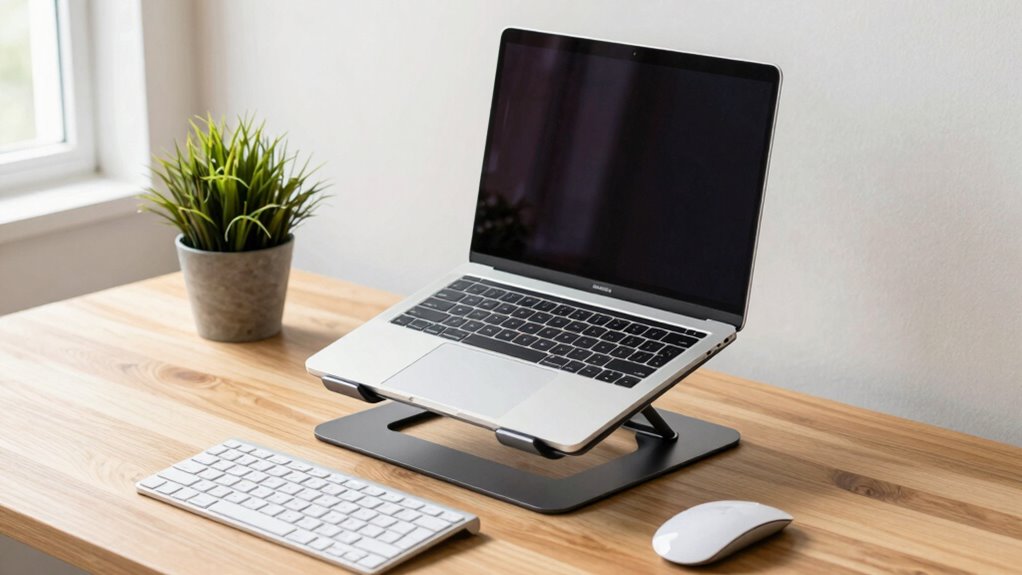

Using a laptop stand can markedly improve your posture during work-from-home days by raising your screen to eye level, reducing neck and shoulder strain. Pair it with ergonomic accessories like an external keyboard and mouse to keep your wrists neutral and promote proper alignment. Regular breaks and movement also help prevent stiffness and fatigue. To learn more about creating a comfortable workspace, keep exploring how these tips can transform your work routine.

Get furniture and decor delivered free — and shop member deals
- Fast, free delivery on millions of items
- Access to Prime Big Deal Days deals on October 6–7
- Prime Video, Amazon Music and more included
Key Takeaways
- Using a laptop stand elevates the screen to eye level, reducing neck and shoulder strain.
- External keyboard and mouse promote neutral wrist positioning and better overall ergonomics.
- Proper workspace setup, including positioning the laptop stand correctly, improves posture and comfort.
- Taking regular breaks and stretching prevents stiffness and fatigue during long work sessions.
- Incorporating ergonomic accessories and principles fosters healthier habits and reduces strain injuries.
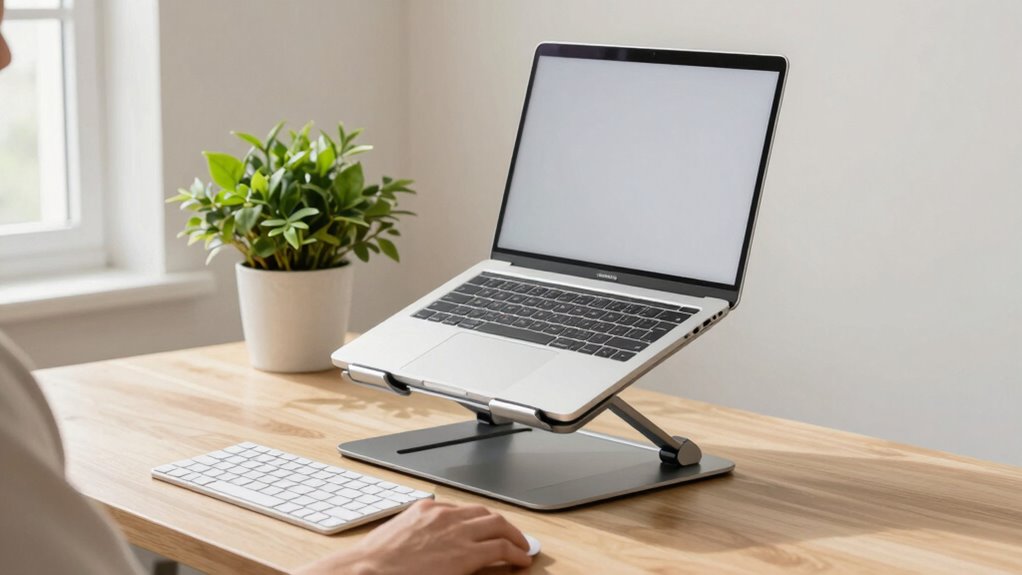
Maintaining good posture while working on a laptop is essential for preventing back and neck pain, yet many people overlook how their device setup affects their health. One of the most effective ways to improve your posture is by using ergonomic accessories, especially a reliable laptop stand. These accessories help elevate your device to eye level, reducing the tendency to hunch forward or crane your neck down. By adjusting your laptop to a more natural position, you minimize strain on your shoulders and spine, making long work sessions more comfortable and less tiring.
Using a laptop stand elevates your screen, reducing neck strain and improving overall posture during work sessions.
When setting up your workspace, incorporating simple desk setup tips can make a big difference. First, ensure your laptop stand is positioned so that the top of your screen is roughly at eye level. This means you won’t have to look down or up excessively, which can cause neck stiffness over time. Additionally, use an external keyboard and mouse to keep your wrists in a neutral position, avoiding awkward angles that lead to discomfort. These ergonomic accessories work together to promote better alignment and reduce the risk of repetitive strain injuries. Incorporating ergonomic workspace design can further enhance your comfort and reduce strain during long hours. Additionally, being aware of proper ergonomic practices can help you make more informed adjustments to your setup. Recognizing the importance of posture awareness can also motivate you to maintain healthier habits throughout your workday.
Remember to take regular breaks to stretch and move around. Sitting in the same position for too long, even with ergonomic accessories, can lead to stiffness and fatigue. Stand up, stretch your arms, legs, and neck periodically, and adjust your workspace as needed. It’s also helpful to stay mindful of ergonomic principles that can guide your overall posture habits. Additionally, being aware of credit card security measures can help protect your personal information during online work sessions, especially when using public Wi-Fi networks. These small but consistent desk setup tips can significantly improve your comfort during long work-from-home days.
As an affiliate, we earn on qualifying purchases.
Frequently Asked Questions
Are Laptop Stands Suitable for All Laptop Sizes?
Laptop stands are generally suitable for most laptop sizes, but you should check the stand’s compatibility before buying. They help improve your screen brightness and reduce eye strain by elevating your screen, and they also enhance keyboard comfort by promoting better typing posture. If your laptop’s size varies considerably, look for adjustable stands or one with a wide enough surface to accommodate different models comfortably.
How Do I Choose the Right Height for a Laptop Stand?
Like a wise old sage from a sci-fi flick, you should choose a height that keeps your screen at eye level, preventing neck strain. Adjust for ergonomic comfort by considering stand material options—some materials offer better stability and airflow. Test different heights to find what feels natural, ensuring your elbows are at a 90-degree angle. Proper ergonomic adjustments make your workspace healthier and more comfortable, boosting productivity.
Can Laptop Stands Improve Long-Term Back Health?
Yes, laptop stands can improve your long-term back health. They promote ergonomic benefits by elevating your screen to eye level, reducing neck and shoulder strain. Plus, many stands feature aesthetic designs that blend seamlessly with your workspace, encouraging consistent use. By maintaining better posture with a sturdy, well-designed stand, you decrease the risk of chronic back issues, making your work-from-home days more comfortable and healthier over time.
Are There Portable Laptop Stands for Travel?
Think of portable laptop stands as your trusty travel companions, always ready to elevate your work on the go. Yes, there are travel-friendly accessories designed with compact design options, making them easy to pack and carry. These stands help you maintain good posture anywhere, transforming your workspace into a comfortable haven. Whether at a café or hotel, you’ll appreciate how these sleek, lightweight options turn any spot into a productive station.
Do Laptop Stands Affect Device Cooling?
Laptop stands can improve device cooling by enhancing airflow around your laptop, preventing overheating during extended use. When choosing a stand, guarantee stand compatibility with your device to avoid obstructing vents or ports. Properly designed stands elevate your laptop, allowing better heat dissipation and promoting laptop cooling. This setup not only maintains ideal performance but also supports better posture during work-from-home days.
adjustable laptop riser for ergonomic setup
As an affiliate, we earn on qualifying purchases.
As an affiliate, we earn on qualifying purchases.
Conclusion
Using a laptop stand can considerably improve your posture and reduce neck and back pain during work-from-home days. By elevating your screen, you align your head and neck properly, making long hours more comfortable. Did you know that poor ergonomics can lead to a 50% increase in musculoskeletal disorders? Investing in a good laptop stand isn’t just about comfort—it’s about protecting your health and boosting productivity in the long run.
external keyboard and mouse for ergonomic work
As an affiliate, we earn on qualifying purchases.
As an affiliate, we earn on qualifying purchases.
portable laptop stand for home office
As an affiliate, we earn on qualifying purchases.
As an affiliate, we earn on qualifying purchases.
Fall Picks
fall essentials
As an affiliate, we earn on qualifying purchases.