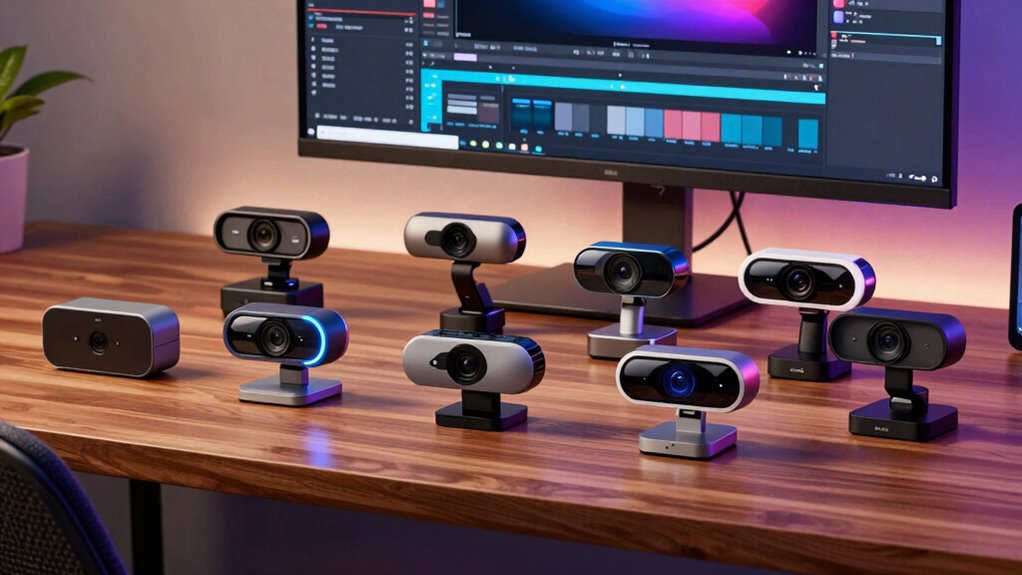

For content creators, choosing the right webcam means balancing image quality, ease of use, and special features like autofocus or AI tracking. The NexiGo N680E Pro stands out as the best overall, offering 4K resolution with excellent autofocus and dual microphones. The Insta360 Link 2 Pro impresses with its PTZ capabilities and 4K quality, making it ideal for dynamic streams. Meanwhile, the Logitech StreamCam is a top pick for streamers who want smooth 1080p60 video with broad compatibility. As options multiply, the main challenge is understanding which features truly matter for your specific content style and setup. Keep reading to explore these choices and find the best fit for your needs.

Get furniture and decor delivered free with Prime
- Fast, free delivery on millions of items
- Prime Video, Amazon Music and more included
- Member-only deals all year
Complete the kit


Key Takeaways
- 4K resolution is becoming more common, but high frame rates like 60fps remain essential for smooth streaming.
- AI features such as tracking or dual-camera setups offer a significant edge for dynamic content but often come at a higher price.
- Build quality and ease of setup vary widely; metal bodies and plug-and-play design save time and frustration.
- Compatibility with streaming platforms and devices influences your overall experience more than raw specs alone.
- Budget options can deliver surprisingly good quality, but sacrificing features like autofocus or AI tracking may limit versatility.
| NexiGo N680E Pro 4K Webcam with Ring Light, Autofocus, 1080p 60FPS, Dual Noise-Canceling Mics, Privacy Shutter, USB Plug-and-Play |  | Best Overall for Versatile Content Creation | Sensor: Sony 1/2.5″ 4K sensor | Video Resolution: 1080p at 60FPS | Autofocus: PDAF autofocus | VIEW ON AMAZON | See Our Full Breakdown |
| Insta360 Link 2 Pro 4K PTZ Webcam for PC/Mac |  | Best for AI-Driven Tracking and Low-Light Performance | Sensor Type: CMOS | Sensor Size: 1/1.3″ | Connectivity Technology: USB | VIEW ON AMAZON | See Our Full Breakdown |
| EMEET PIXY Dual-Camera AI-Powered PTZ 4K Webcam |  | Best for Dual-Camera Flexibility and Intelligent Motion | Resolution: 4K | Sensor: 1/2.55″ | Focus: PDAF | VIEW ON AMAZON | See Our Full Breakdown |
| EMEET S600 4K Webcam for Streaming, Sony 1/2.55” Sensor, PDAF Autofocus |  | Best for High-Quality Streaming with Auto Light Adjustment | Sensor: Sony 1/2.55″ | Resolution: 4K at 30FPS | Autofocus: PDAF | VIEW ON AMAZON | See Our Full Breakdown |
| Logitech StreamCam Premium Webcam for Streaming and Content Creation, Full HD 1080p 60 fps, Compatible with Microsoft Teams, Google Meet, Zoom, Nintendo Switch, PC/Mac – Graphite |  | Best for Simple, Reliable Streaming in Full HD | Resolution: Full HD 1080p at 60 fps | Lens: Premium glass | Auto-focus: Smart autofocus | VIEW ON AMAZON | See Our Full Breakdown |
| Logitech Brio 101 Full HD 1080p Webcam for Streaming and Meetings – Black |  | Best Budget-Friendly HD Webcam for Content Creators | Resolution: Full HD 1080p | Connection: USB A | Privacy Feature: Sliding webcam cover | VIEW ON AMAZON | See Our Full Breakdown |
| OBSBOT Tiny 2 Lite 4K Webcam for PC, AI Tracking PTZ Streaming Camera |  | Best Advanced AI-Powered 4K Streaming Webcam | Resolution: 4K | Sensor: 1/2” CMOS | Tracking Modes: upper body, hand tracking | VIEW ON AMAZON | See Our Full Breakdown |
| EMEET C960 Ultra 4K Webcam for Mac & PC, 1/1.5″ Sensor, Metal Body |  | Best High-Quality 4K Webcam for Professional Content Creation | Sensor: 1/1.5″ | Resolution: 4K | Autofocus: Yes, 0.2s | VIEW ON AMAZON | See Our Full Breakdown |
| webcams content creator | Resolution | Sensor | Compatibility |
|---|---|---|---|
| NexiGo N680E Pro 4K Webcam wit | — | Sony 1/2.5" 4K sensor | Windows 7-11, Mac OS 10.6+, Chrome OS, Switch (with adapter) |
| Insta360 Link 2 Pro 4K PTZ Web | — | — | — |
| EMEET PIXY Dual-Camera AI-Powe | 4K | 1/2.55" | Windows 10+, macOS 10.14+ |
| EMEET S600 4K Webcam for Strea | 4K at 30FPS | Sony 1/2.55" | — |
| Logitech StreamCam Premium Web | Full HD 1080p at 60 fps | — | — |
| Logitech Brio 101 Full HD 1080 | Full HD 1080p | — | — |
| OBSBOT Tiny 2 Lite 4K Webcam f | 4K | 1/2” CMOS | SDK, OSC, Stream Deck, Hotkeys |
| EMEET C960 Ultra 4K Webcam for | 4K | 1/1.5" | Mac, Windows |
More Details on Our Top Picks
NexiGo N680E Pro 4K Webcam with Ring Light, Autofocus, 1080p 60FPS, Dual Noise-Canceling Mics, Privacy Shutter, USB Plug-and-Play
The NexiGo N680E Pro stands out for delivering 4K quality with a Sony sensor, offering sharp images and smooth 1080p at 60FPS—ideal for creators who need high fidelity. Its PDAF autofocus ensures crisp focus during fast movements, making it superior to webcams like the Logitech StreamCam, which focuses more on smooth 1080p. The built-in tri-tone ring light allows for customizable lighting, a critical feature for professional-looking streams, but it depends on camera software for actual output resolution, which might be limiting for some users. The privacy shutter provides security, yet the absence of WiFi or Bluetooth means setup is wired, which could be inconvenient. Compared to the Insta360 Link 2 Pro, it lacks AI tracking and advanced modes, but its straightforward plug-and-play setup makes it more accessible for beginners.
Pros:- High-quality 4K video with smooth 1080p 60FPS streaming
- Advanced PDAF autofocus for sharp, dynamic images
- Built-in tri-tone adjustable ring light for optimal lighting
- Privacy shutter enhances security
Cons:- Output resolution depends on camera software, not just hardware
- No built-in WiFi or Bluetooth, limiting wireless setup options
Best for: Content creators who need high-quality 4K video, flexible lighting, and straightforward setup for streaming and recording
Not ideal for: Streamers requiring wireless connectivity or advanced AI tracking, as it relies solely on USB-A and software adjustments
- Sensor:Sony 1/2.5″ 4K sensor
- Video Resolution:1080p at 60FPS
- Autofocus:PDAF autofocus
- Microphones:Dual noise-canceling microphones
- Ring Light:Tri-tone adjustable, stepless brightness
- Privacy Shutter:Yes
- Compatibility:Windows 7-11, Mac OS 10.6+, Chrome OS, Switch (with adapter)
- Field of View:80°
- Mount:Standard 1/4″ tripod mount
Our verdict“This webcam is perfect for creators seeking crisp 4K quality with flexible lighting and security features, accepting some wired limitations.”
Insta360 Link 2 Pro 4K PTZ Webcam for PC/Mac
The Insta360 Link 2 Pro excels with a large 1/1.3″ sensor that ensures excellent low-light performance, making it ideal for creators who stream in variable lighting. Its AI tracking and gesture controls surpass the EMEET PIXY dual-camera’s manual PTZ, offering hands-free control and a more professional appearance. The 4K video quality is top-tier, but some features require additional software, which can be a hurdle for casual users. Its professional-grade audio and natural bokeh effects make it stand out for polished productions, though it’s more expensive than basic webcams like the Logitech StreamCam. The lack of native water resistance or wireless connectivity limits its flexibility in certain setups, but for creators seeking advanced AI features, this model provides a compelling upgrade.
Pros:- Exceptional low-light performance with a large sensor
- AI tracking and gesture control for dynamic content
- Professional-grade audio and natural bokeh effects
- Versatile modes including Whiteboard and DeskView
Cons:- Requires additional software for full feature access
- Higher price point may be prohibitive for casual users
- Limited compatibility with ARM-based Windows systems
Best for: Content creators and streamers who prioritize AI tracking, low-light performance, and professional-quality video
Not ideal for: Users with limited budget or those who prefer simple plug-and-play webcams without extra software setup
- Sensor Type:CMOS
- Sensor Size:1/1.3″
- Connectivity Technology:USB
- Special Features:AI Tracking, 4K Video, Low-Light Performance
- Weight:167.5 g
- Focus Type:Auto and Manual
- Zoom:Digital 4x
- Display Resolution:UHD
Our verdict“This webcam suits creators seeking advanced AI tracking and premium video quality, though it demands more setup and investment.”
EMEET PIXY Dual-Camera AI-Powered PTZ 4K Webcam
The EMEET PIXY brings dual-camera versatility with AI-powered tracking, making it ideal for engaging presentations or online teaching. Its fast autofocus and smooth pan/tilt (310°/180°) outperform single-camera models like the Logitech StreamCam, providing dynamic angles and movement. The 4K resolution with 30FPS ensures crisp visuals, while the 3-mic array captures clear audio. However, it requires a separate purchase for tripod mounting and some features depend on dedicated software, which could complicate setup. Compared to the Insta360 Link 2 Pro, it offers less AI sophistication and fewer modes. Still, for users needing flexible camera angles and automated motion, the PIXY delivers professional results with manageable tradeoffs.
Pros:- Advanced AI tracking with smooth pan/tilt movement
- High-quality 4K video at 30FPS
- Multiple recording modes and noise-canceling microphones
- Gesture activation for easy control
Cons:- Requires separate purchase for tripod or mounting accessories
- Some features need software setup
- Limited compatibility details for older OS versions
Best for: Online educators and streamers who need dual viewpoints and automated tracking for engaging content
Not ideal for: Casual streamers or those with limited space, since mounting options require additional accessories
- Resolution:4K
- Sensor:1/2.55″
- Focus:PDAF
- Pan/Tilt:310°/180°
- Frame Rate:30FPS in 4K, 60FPS in 1080P
- Microphone Array:3-mic
- Compatibility:Windows 10+, macOS 10.14+
- Control Software:EMEET STUDIO
Our verdict“This dual-camera AI webcam is optimal for creators who want engaging angles and automated movement, despite extra mounting costs.”
EMEET S600 4K Webcam for Streaming, Sony 1/2.55” Sensor, PDAF Autofocus
The EMEET S600 offers dependable 4K clarity with a Sony sensor, making it a strong choice for streamers who prioritize crisp visuals. Its PDAF autofocus ensures sharp focus, and auto light adjustment maintains consistent image quality even in changing lighting conditions. The 73° FOV at 4K is narrower than wider models like the Insta360 Link 2 Pro, but it suits close-up content well. Setup is straightforward with USB plug-and-play, and the built-in privacy cover adds security. While its resolution can be affected by software settings and it lacks wireless options, it’s a solid choice for creators who want reliable 4K performance without complex features or high cost, unlike the more feature-rich Insta360.
Pros:- Crisp 4K video with Sony sensor
- PDAF autofocus for sharp images
- Auto light adjustment for consistent quality
- Plug-and-play USB connectivity
Cons:- Limited FOV at 4K may restrict wider shots
- Requires software for advanced customization
Best for: Streamers and content creators seeking reliable 4K quality with auto light adjustment in a straightforward setup
Not ideal for: Users who need wider angles or advanced AI tracking, as this model emphasizes basic high-quality streaming
- Sensor:Sony 1/2.55″
- Resolution:4K at 30FPS
- Autofocus:PDAF
- Field of View:73° at 4K
- Light Adjustment:Auto
- Microphones:Noise-canceling
- Connectivity:USB 2.0 & 3.0
- Design:Durable, adjustable tilt
Our verdict“This webcam is well-suited for streamers who want dependable 4K quality with automatic lighting, without extra fuss or wide-angle needs.”
Logitech StreamCam Premium Webcam for Streaming and Content Creation, Full HD 1080p 60 fps, Compatible with Microsoft Teams, Google Meet, Zoom, Nintendo Switch, PC/Mac – Graphite
The Logitech StreamCam is a dependable choice for creators who prioritize smooth Full HD 1080p at 60FPS, making it ideal for professional live streams. Its premium glass lens and smart autofocus ensure clear, centered images, outperforming basic webcams like the EMEET S600 in detail and focus. The auto-framing feature keeps your face centered, even if you move slightly, and its versatile mounting options fit various setups. However, its reliance on USB-C can be a limitation for older computers, and its higher price reflects its premium features, which might be overkill for casual users. Compared to the Insta360 Link 2 Pro, it offers less advanced AI tracking, but its straightforward plug-and-play approach makes it a reliable all-around choice for streamers needing consistent quality.
Pros:- Smooth 1080p 60FPS video for professional-quality streams
- Smart autofocus and auto-framing for consistent focus
- Versatile mounting options for flexible setups
- Reliable USB-C connection for stable transfer
Cons:- Requires USB-C port—may need adapters for older systems
- Higher price point for basic 1080p webcams
- Less suited for wide-angle shots or multiple participants
Best for: Streamers and content creators prioritizing smooth 1080p60 output with simple setup and reliable auto-framing
Not ideal for: Users seeking 4K resolution or advanced AI features, as this model is focused on high-quality 1080p performance
- Resolution:Full HD 1080p at 60 fps
- Lens:Premium glass
- Auto-focus:Smart autofocus
- Auto-framing:Yes
- Mounting Options:Landscape, portrait, monitor, tripod
- Connection:USB Type-C
Our verdict“This webcam offers steady, high-quality 1080p streaming with intelligent framing, perfect for creators who value reliability over 4K or AI features.”
Logitech Brio 101 Full HD 1080p Webcam for Streaming and Meetings – Black
The Logitech Brio 101 offers reliable 1080p video quality with auto-light adjustment, making it a solid choice for creators who need clear visuals without breaking the bank. Compared with the higher-resolution OBSBOT Tiny 2 Lite, this webcam doesn’t support 4K, but it compensates with straightforward setup and environment-friendly materials, including 77% recycled plastic. Its privacy slide adds security, ideal for those who value data safety during live streams or meetings. However, the absence of USB C and noise-canceling mic features limits its appeal for more professional setups. For creators seeking a simple, eco-conscious webcam that performs well in typical streaming environments, this stands out as an affordable, dependable option.
Pros:- Reliable 1080p resolution with auto-light adjustment ensures clear video in various lighting conditions
- Privacy cover provides peace of mind during sensitive calls or recordings
- Easy to set up with broad compatibility across major platforms
- Made with environmentally friendly recycled plastic
Cons:- Limited to USB A, lacking USB C support for newer devices
- Basic feature set without noise-canceling microphone or advanced customization
Best for: Beginners or budget-conscious content creators who want dependable HD quality without complex features
Not ideal for: Professional streamers or developers needing advanced customization and 4K output
- Resolution:Full HD 1080p
- Connection:USB A
- Privacy Feature:Sliding webcam cover
- Built-in Microphone:Yes
- Made with recycled plastic:77% post-consumer
- Adjustable settings:Zoom, framing, and camera settings
Our verdict“This webcam is best suited for entry-level creators seeking straightforward HD quality and privacy features.”
OBSBOT Tiny 2 Lite 4K Webcam for PC, AI Tracking PTZ Streaming Camera
The OBSBOT Tiny 2 Lite offers impressive 4K resolution combined with AI tracking capabilities, making it ideal for creators who need dynamic framing and professional-level focus. Unlike the EMEET C960’s large sensor, this model’s AI-driven tracking allows for hands-free operation, perfect for active presenters, gamers, or multi-tasking streamers. It supports multiple preset positions and gesture controls, providing a versatile setup that adapts seamlessly to different content styles. However, setting up advanced features requires some familiarity with SDKs or hotkeys, which could intimidate beginners. Compared to simpler webcams like the Logitech Brio 101, this option prioritizes automation and customization for those willing to handle a steeper learning curve. It’s best suited for creators who want a high-tech, hands-free streaming experience.
Pros:- Outstanding 4K resolution with AI tracking for precise, auto-framed shots
- Multiple tracking and preset modes for varied content scenarios
- Gesture control simplifies operation without manual adjustments
- Supports various shooting orientations and professional customization options
Cons:- Requires some technical knowledge for full feature access
- Limited details on compatibility with non-Windows platforms
- No included software, may need SDK for advanced use
Best for: Tech-savvy content creators, gamers, or professionals who need AI tracking and versatile shooting modes
Not ideal for: Casual users or those uncomfortable with technical setup and customization
- Resolution:4K
- Sensor:1/2” CMOS
- Tracking Modes:upper body, hand tracking
- Preset Modes:multiple preset positions
- Gesture Control:hand raise, zoom
- Compatibility:SDK, OSC, Stream Deck, Hotkeys
Our verdict“This pick makes the most sense for creators who want high-quality, automated tracking and are comfortable with technical configuration.”
EMEET C960 Ultra 4K Webcam for Mac & PC, 1/1.5″ Sensor, Metal Body
The EMEET C960 Ultra 4K stands out for its large 1/1.5″ sensor, which delivers exceptional detail and performs well in low-light conditions—traits that surpass many smaller-sensor webcams like the Logitech Brio. Its all-metal construction promises durability and stability, making it suitable for frequent use in professional environments. The seamless compatibility with Mac and Windows, along with features like fast autofocus and DRC optimization, help produce sharp, consistent video quality. Additional features like whiteboard mode and dual microphones support versatile scenarios, from meetings to content creation. The main tradeoff is that accessories like tripods or stands are sold separately, and it may be pricier than basic webcams. For creators who prioritize image quality and robust build, this makes an excellent investment.
Pros:- Large 1/1.5” sensor enhances detail and low-light capabilities
- All-metal body ensures durability and stability
- Supports seamless Mac and PC plug-and-play setup
- Includes whiteboard mode and dual microphones for versatile use
Cons:- Requires separate purchase for tripod or desktop stand
- Higher price point compared to basic webcams
- Limited information on software features in the description
Best for: Content creators and professionals who need high-resolution video with superior low-light performance and durable build
Not ideal for: Casual users or those on a tight budget who don’t require 4K quality or additional professional features
- Sensor:1/1.5″
- Resolution:4K
- Autofocus:Yes, 0.2s
- Build:All-metal
- Compatibility:Mac, Windows
- Mounting:Supports tripods and desktop stands (sold separately)
Our verdict“This webcam is ideal for creators seeking premium image quality, durability, and professional features in a high-resolution device.”

How We Picked
These webcams were evaluated based on their video and audio performance, usability, build quality, and feature set tailored for content creation. We prioritized models that offer high resolution, smooth frame rates, and reliable autofocus or tracking technology, as these directly impact streaming quality. Durability and ease of setup also played a role, especially for creators who need quick, hassle-free installations. Price-to-value ratio was considered to recommend options that balance cost with features, ensuring both beginners and pros find suitable choices. The ranking reflects a combination of these factors, emphasizing performance in real-world content creation scenarios.| webcams content creator | Compatibility |
|---|---|
| NexiGo N680E Pro 4K Webcam wit | Windows 7-11, Mac OS 10.6+, Chrome OS, Switch (with adapter) |
| Insta360 Link 2 Pro 4K PTZ Web | — |
| EMEET PIXY Dual-Camera AI-Powe | Windows 10+, macOS 10.14+ |
| EMEET S600 4K Webcam for Strea | — |
| Logitech StreamCam Premium Web | — |
| Logitech Brio 101 Full HD 1080 | — |
| OBSBOT Tiny 2 Lite 4K Webcam f | SDK, OSC, Stream Deck, Hotkeys |
| EMEET C960 Ultra 4K Webcam for | Mac, Windows |
Factors to Consider When Choosing Webcams Content Creators
Choosing the right webcam for content creation involves more than just specs; understanding your specific needs and setup can prevent costly mistakes. The right model improves your video quality, simplifies your workflow, and enhances viewer engagement. Here are key factors to consider beyond raw resolution and frame rate to help you make an informed decision.Video Quality and Frame Rate
While 4K resolution provides sharp detail, a higher frame rate like 60fps offers smoother motion, which is crucial for fast-paced content. Consider your primary content type—gaming, tutorials, or professional streams—since each benefits from different specs. Keep in mind that higher resolution and frame rates demand more powerful PCs and faster internet connections, which could influence your overall setup costs and complexity.
Autofocus and AI Features
Autofocus ensures your face remains in sharp focus, especially if you move around during sessions. AI features like tracking or dual-camera switching can add a professional touch but often come with a premium price. Think about whether these features align with your content style—streamers who move a lot will benefit more from AI tracking, while static presenters might not need these extras.
Build Quality and Ease of Use
Durability and design matter; a sturdy metal body and simple USB plug-and-play setup save frustration. Poorly built models might break or require complex drivers, wasting valuable production time. For beginners or those frequently on the move, compact and lightweight options can make setup and storage easier, but they might sacrifice some durability or advanced features.
Compatibility and Connectivity
Ensure your chosen webcam works seamlessly with your streaming platforms and hardware. Platforms like OBS, Zoom, or Teams may have specific requirements or better support for certain models. Also, check that the webcam connects via standard USB-C or USB-A ports available on your device to avoid compatibility issues that could limit usability.
Budget and Value
While high-end webcams offer top-tier features, they come with higher costs. Conversely, budget options can deliver decent quality but may lack autofocus, AI tracking, or robust build quality. Determine your primary needs and budget to find a model that strikes the right balance—sometimes investing a bit more pays off through better durability and features that enhance your content quality.
Frequently Asked Questions
Is 4K resolution necessary for content creation?
4K resolution can significantly improve the visual sharpness of your streams or recordings, especially if viewers watch on large screens. However, it requires more processing power and higher bandwidth, which might not be suitable for all setups. If your content involves detailed visuals or you want future-proofing, 4K makes sense; otherwise, high-quality 1080p might be sufficient and more manageable.
Should I prioritize autofocus or AI tracking?
Autofocus is essential for static or semi-movable content, ensuring your face stays sharp without manual adjustments. AI tracking offers dynamic framing, which is ideal if you move around or want a more professional appearance without constant manual repositioning. Consider your style—if you’re stationary, autofocus may suffice; for active presenters, AI tracking could be worth the extra investment.
Are external microphones necessary for good audio?
Built-in microphones can work, but they often pick up ambient noise and may not deliver the audio quality you need for engaging content. Many creators opt for external mics for clearer, richer sound. Combining a good webcam with an external microphone can dramatically improve your overall production quality, especially if your content relies heavily on voice or commentary.
How important is compatibility with streaming platforms?
Compatibility ensures your webcam works smoothly with your chosen streaming or conferencing software, reducing technical issues during live sessions. Most modern webcams are plug-and-play with major platforms like OBS, Zoom, or Streamlabs, but checking for specific support or recommended drivers can save troubleshooting time. A model with broad platform support simplifies setup and enhances reliability.
What’s the benefit of a PTZ (pan-tilt-zoom) webcam?
PTZ webcams offer the ability to remotely control the camera’s angle and zoom, adding a cinematic or professional touch to your streams. This feature is especially useful for multi-camera setups or dynamic presentations where different framing is needed without physically adjusting the camera. The tradeoff is that PTZ models are typically more expensive and require extra setup, but they provide a level of versatility that static webcams can’t match.
Conclusion
For most content creators seeking a reliable all-around option, the NexiGo N680E Pro offers a compelling balance of 4K quality, autofocus, and ease of use. Beginners or those on a tighter budget will find the EMEET C960 a solid entry point, providing 4K at a lower price. Streamers or professionals who prioritize smooth motion and advanced features should consider the Logitech StreamCam or Insta360 Link 2 Pro. For dynamic or mobile content, models with AI tracking like the OBSBOT Tiny 2 Lite shine. Ultimately, choosing the right webcam depends on your specific content style, technical setup, and budget—use this guide to find your best match.
Fall Picks
fall essentials
As an affiliate, we earn on qualifying purchases.